Long time ago (say six years) I used to work for this managed service provider in Mumbai as an entry level network engineer. This was my beginning in the networking world and the time I could hardly understand a traceroute but thats another story! Coming back to the workplace,it was an amazing company with some very cool network monitoring tools set up which were totally new to me. These included automated configuration backup ,performance monitoring, network management ,etc.There were some very good brains behind those tools there ,you know, the system’s guys!
My job as a L1 network engineer involved picking up the ticket and performing basic troubleshooting.Sometimes the tickets were for circuit down issues, and sometimes for performance/packet loss issues. This is the time I used this very cool tool for quickly reviewing the performance of any particular WAN path ( DSL,MLPS,etc) with awesome graphs. At that time though, I was under the impression this tool was specifically made by my company. I was so wrong. It was just taken and customized by the company as per its needs.That was the SMOKEPING -an open source linux tool which will graph packet loss/jitter and generate graphs for intervals between an hour to 365 days so you have a pretty good performance insight with all the history. This way I could quickly identify if this was a genuine ticket needing attention or a very poor DSL line that the customer is overutilizing or some really bad DSL line in China with some pretty weird graphs(because of the great firewall of China). For all these years, I thought, its really difficult to set it up and only “systems” guys can do it until I started reading some blogs on the internet. I realized even a kid with rudimentary knowledge of the computer can setup smokeping in 20 mins. Its so easy! So here it is..setting up smokeping in 20 mins..
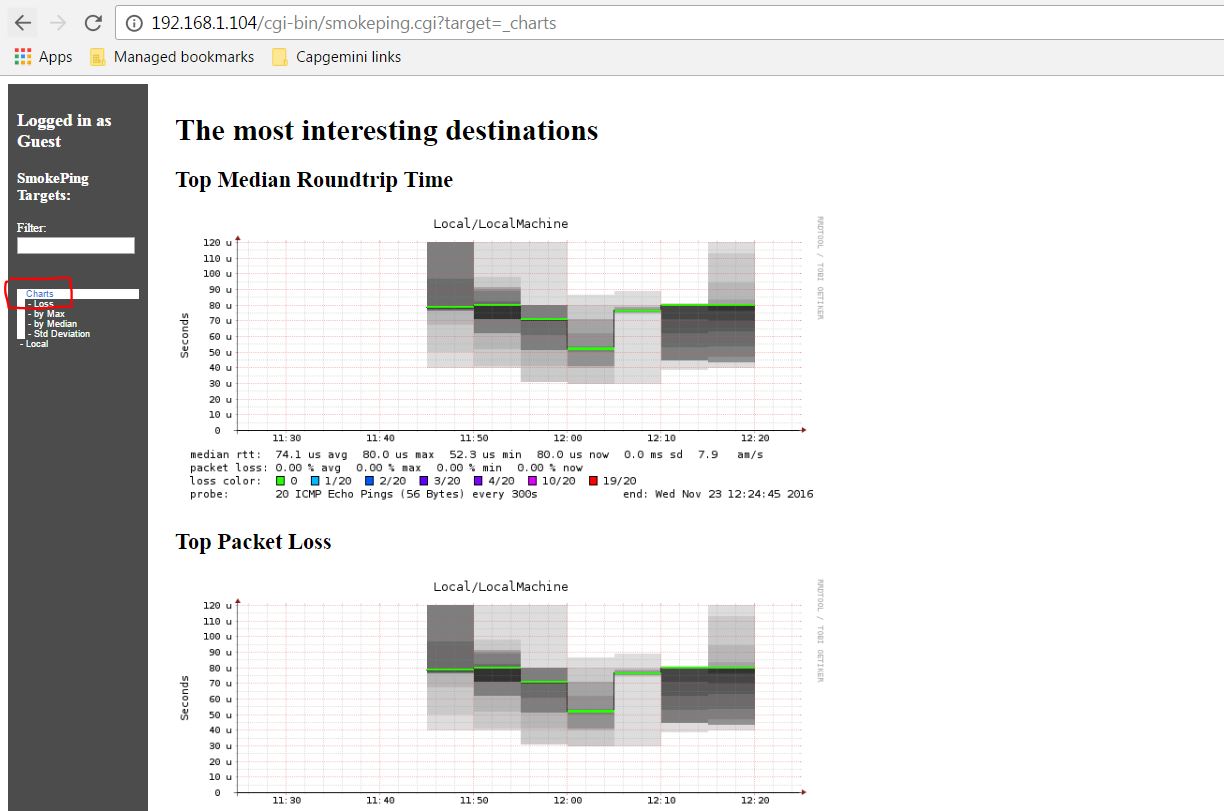
Before we even begin, let me show you how it actually looks and what you should be expecting after setting it up.
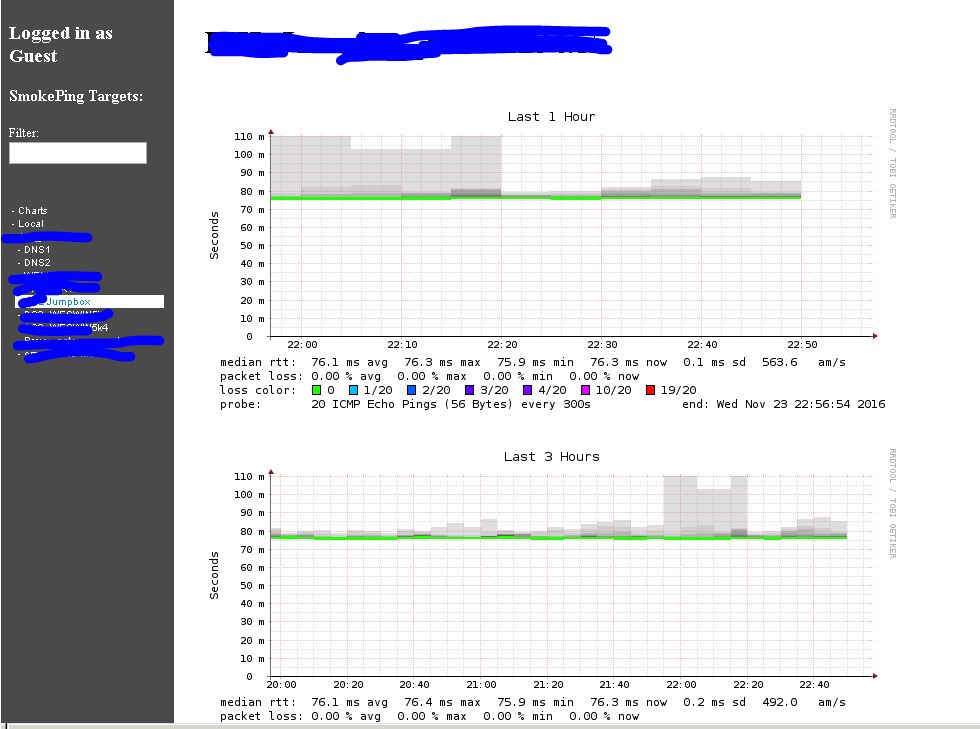
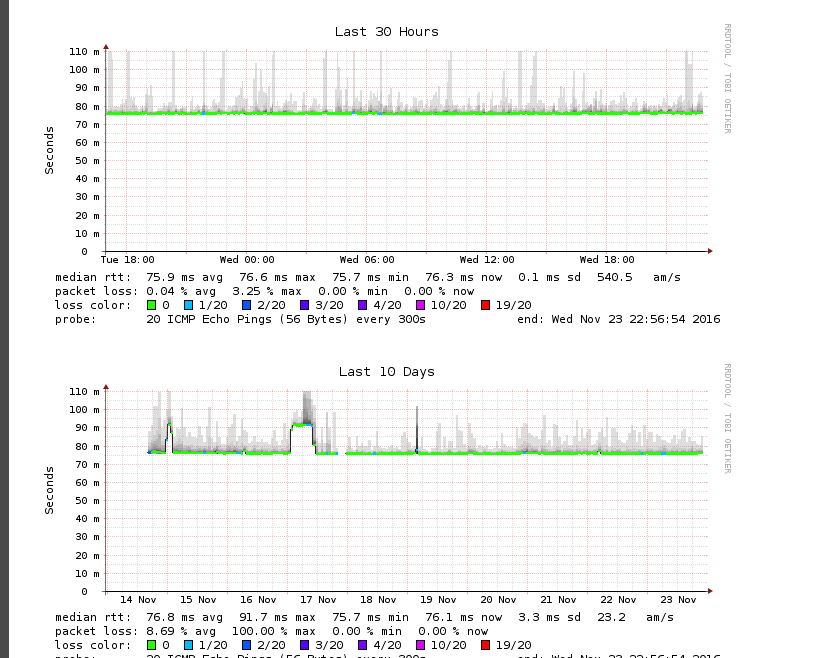
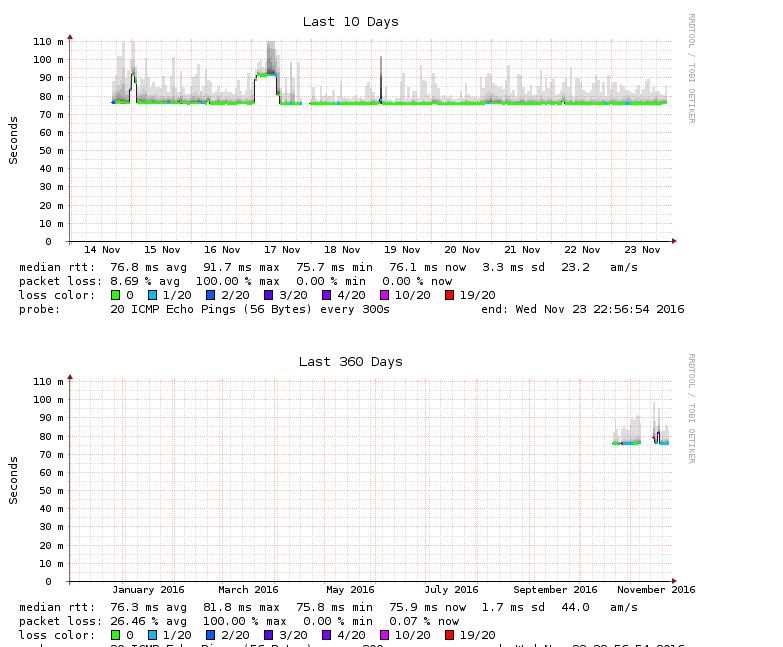
ok, back to the task of setting it up.
Before the 20 mins begin though,you would need to install Ubuntu from here and run “sudo apt-get update” on it .You should obviously do it on VirtualBox or Vmware Workstation. Allocate 1GB RAM and a 10GB HDD and you are OK. More on the initial Ubuntu config here.
Note: You can install smokeping on any Linux distribution ( there are many out there like Redhat, Centos,etc) . I just chose Ubuntu because I found it very easy to work with.
First 15 mins:
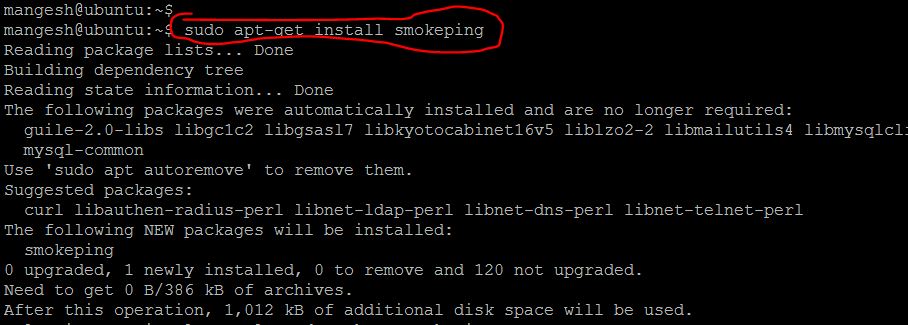
- Install smokeping on top of Ubuntu with “sudo apt-get install smokeping” . This will find the smokeping installation on the internet and install it with all needed dependencies like apache webserver ( used to host your smokeping server so you can view the cool graphs)
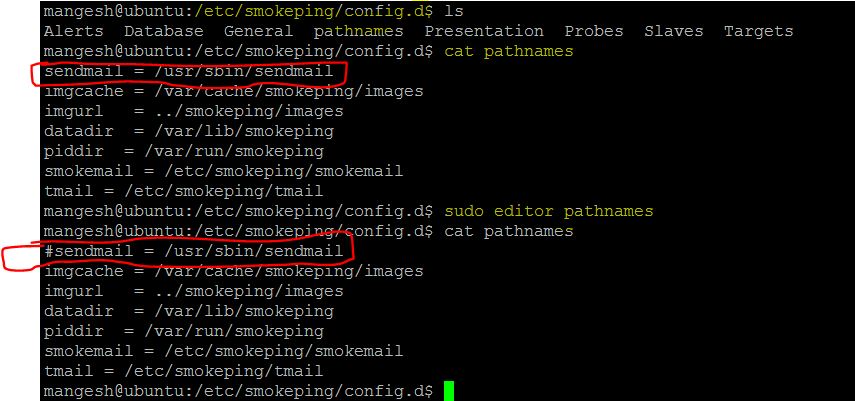
- Go over to /etc/smokeping/config.d and edit the pathnames file to comment out sendmail . We will not get into setting up smokeping to send mails. We can do that another time.
Note: In Ubuntu, if you place a “#” in front of a line , that line is ignored by the system and considered as a comment
Note : All smokeping config is in those important files in /etc/smokeping/config.d which we will be editing one by one
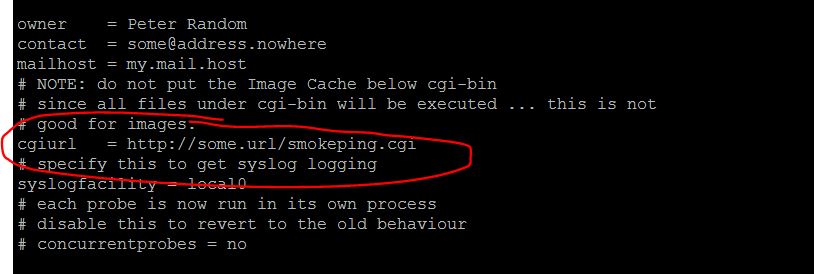
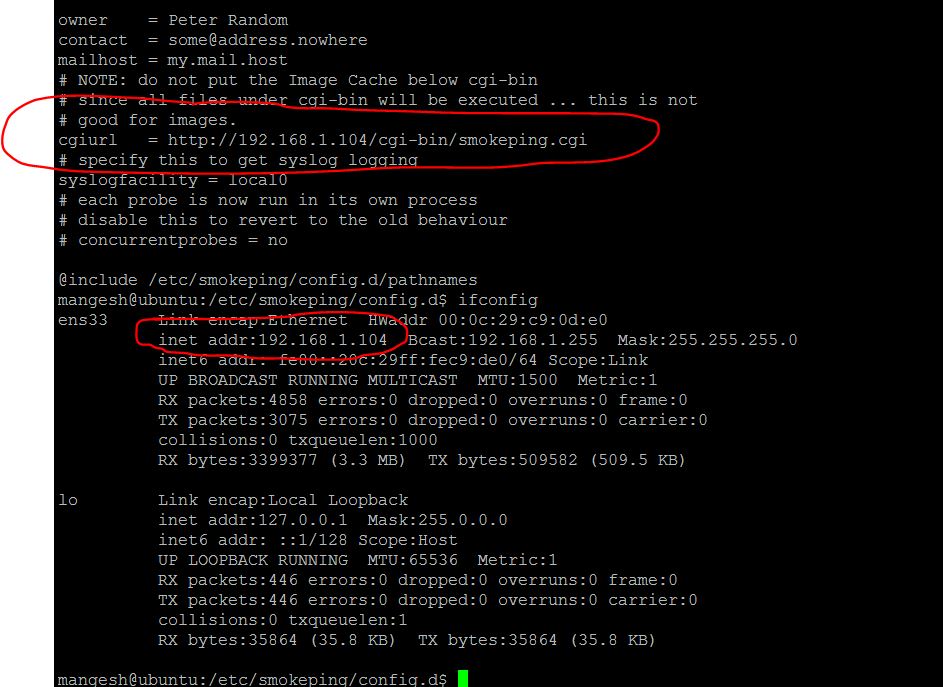
- Once this is done, find out your machines ip with “ifconfig” and modify the content of the /etc/smokeping/config.d/General file to reflect a new URL as below (http://yourip/cgi-bin/smokeping.cgi)
Before:
After:
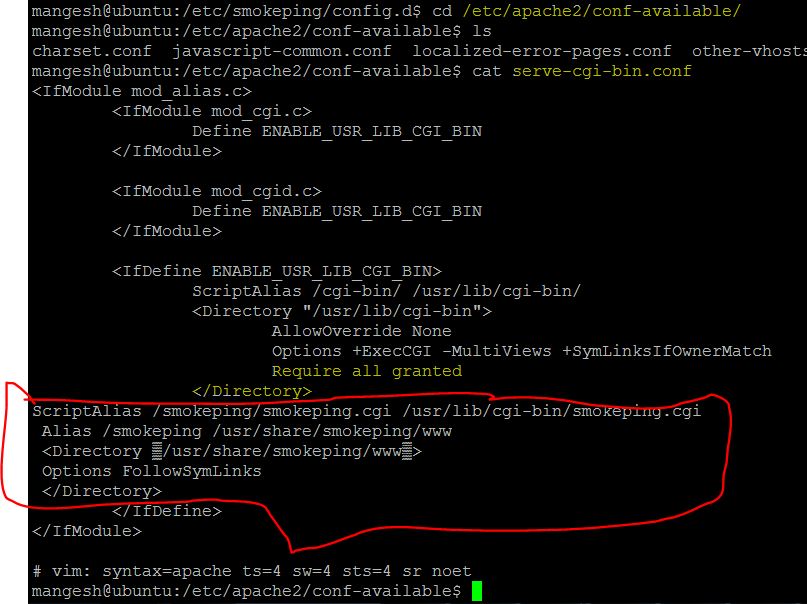
- Now, modify the apache2 config in /etc/apache2/conf-available/serve-cgi-bin.conf and add below lines after ” Require all granted
“ - It should look like the screenshot underneath . This is just a way to make apache2 (our webserver) to work as required by smokeping.
ScriptAlias /smokeping/smokeping.cgi /usr/lib/cgi-bin/smokeping.cgi
Alias /smokeping /usr/share/smokeping/www
Options FollowSymLinks
- Head over to the URL we defined earlier with the ip from the ifconfig ( in my case http://192.168.1.104/cgi-bin/smokeping.cgi) to view the first glimpse of your smokeping graphs .
- These are graphs from the local machine generated by default.
- If the URL throws an error, try doing a “sudo service smokeping restart” and “sudo service apache2 restart”
Last 5 mins: Customization
- Smokeping continuosly sends pings to the destinations and generates graphs for them. Obviously those destinations need to be defined somewhere.
- These are defined in the “Targets” file in /etc/smokeping directory
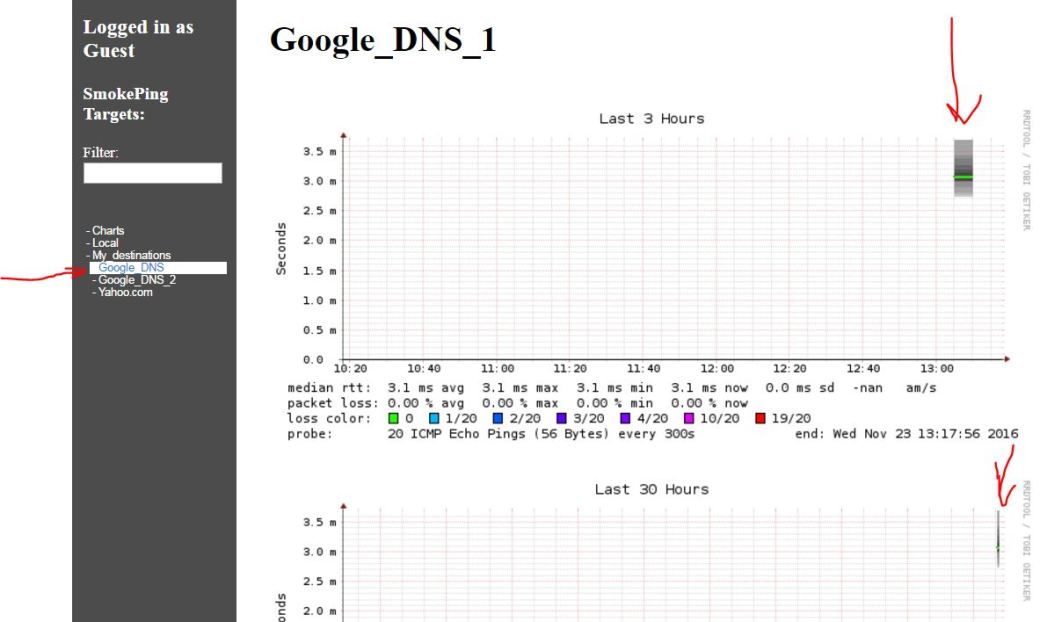
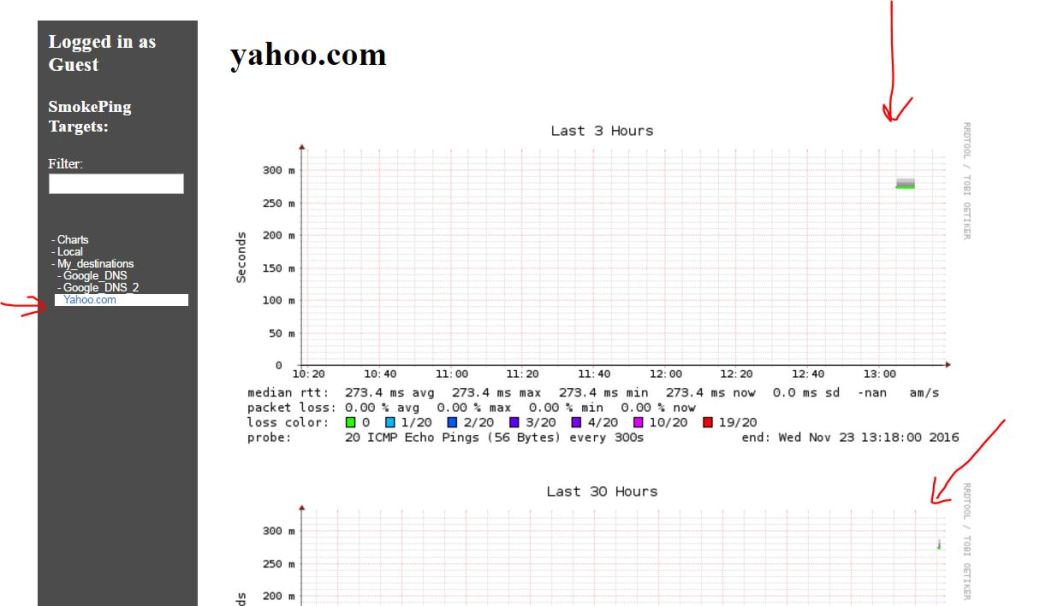
- For an example, lets generate some graphs for google DNS and yahoo.com
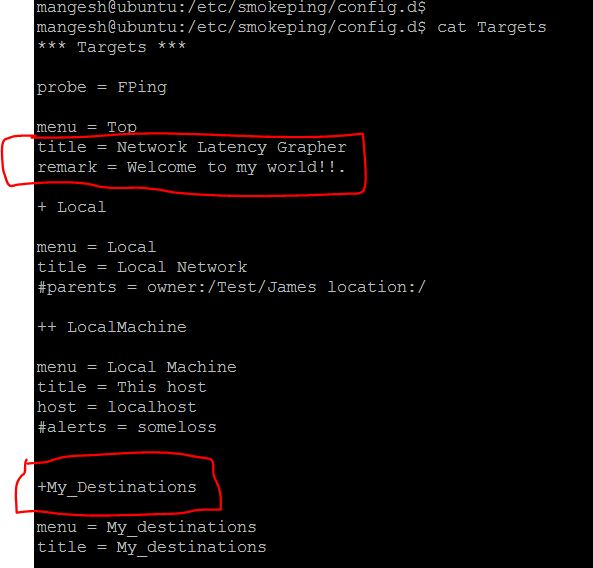
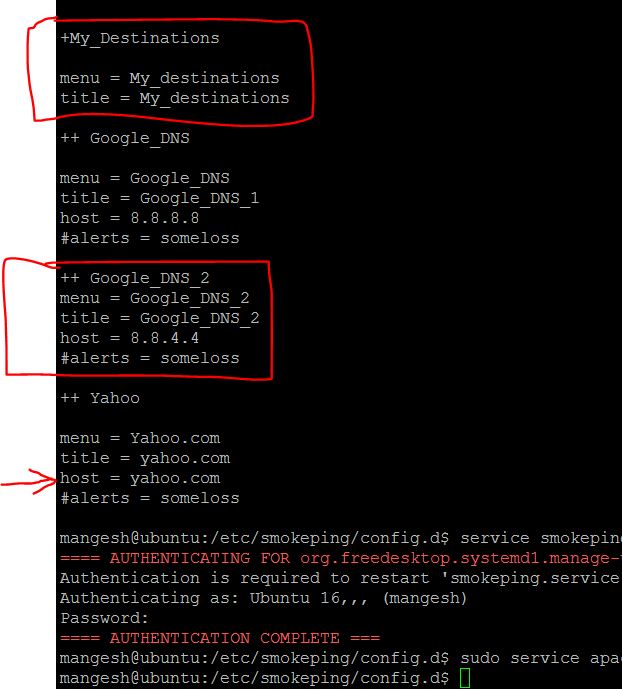
- the target file will need to be modified with below
+My_Destinations
menu = My_destinations
title = My_destinations
++ Google_DNS
menu = Google_DNS
title = Google_DNS_1
host = 8.8.8.8
#alerts = someloss
++ Google_DNS_2
menu = Google_DNS_2
title = Google_DNS_2
host = 8.8.4.4
#alerts = someloss
++ Yahoo
menu = Yahoo
title = yahoo.com
host = yahoo.com
#alerts = someloss
- “+” creates a new group and “++” creates a new subtarget below it
- Generally menu and title should as descriptive as you want and the subsection which begins after a “++” should always be a capital letter and should not contain a “.”. I have seen this creates an issue so you will have to go back to “Targets” again and modify and exit out .
- you can even modify the main title as per your will
- After Targets has been modified, we have to restart both “smokeping” as well as “apache2” services with “sudo service smokeping restart” and “sudo service apache2 restart”
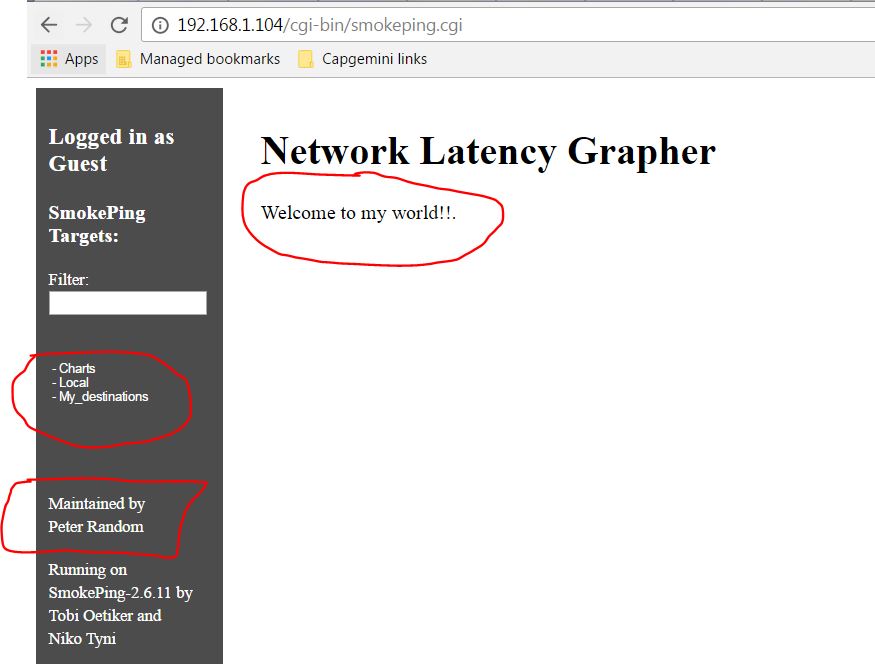
Note: I think you can find out yourself how to put your name instead of “Peter Random” .
The end result is below..you will have to give sometime for these to generate.
DONE.
Ok, so I hope this gets done in 20 mins for you. If not,maybe you would just need to do more implementations to catch up! I can update this post with further smokeping customizations but its so easy, I think you can find it out for yourself with some google searches.
Obviously, this I had no clue before I installed Smokeping myself. A lot of articles helped me and cheif among those are this, this and this.


Awesome dude
LikeLike
Thanks! Worked well within 20mins 😉
LikeLike
Nice Shirt Dude
LikeLike
Amazing work! was able to setup in flat 20 mins. Great article to startup.
LikeLike
i cant find the install location, did i do something wrong?? i followed the instructions and its not working
LikeLike